Chrome extension
Add to Seam, from any page
Spot someone who matters on LinkedIn or GOV.UK, or a development in the news, and put it in Seam in one click. No copying and pasting.
What it does
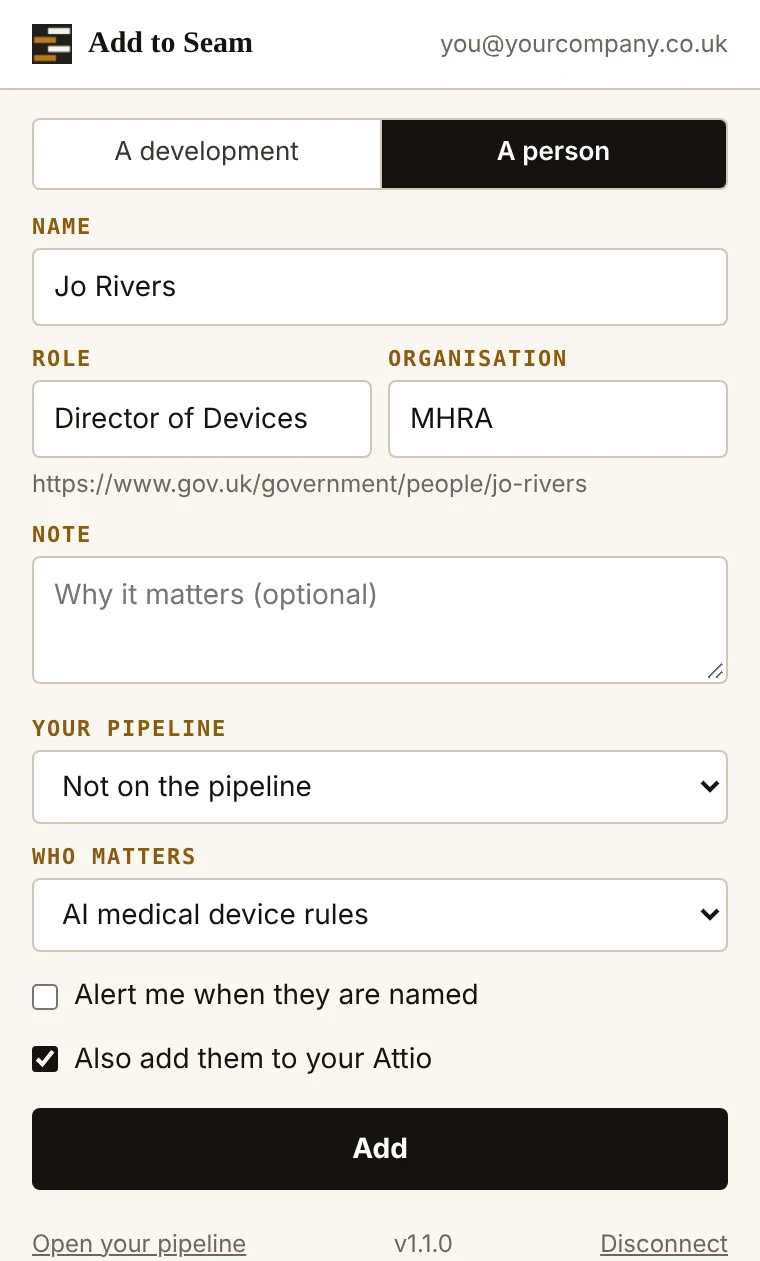
- A person On a LinkedIn profile, a minister’s or official’s GOV.UK page, or an MP’s or peer’s page on the Parliament website, it fills in their name, role and organisation for you. Add them to a Who Matters map, or to your watch list if you have no map yet.
- Alerts when they are named Tick one box and their name joins the words you watch, so your alerts and your weekly briefing flag new records that mention them.
- Your CRM If you have connected HubSpot or Attio, add them there too, linked to their organisation. Seam checks HubSpot first so nobody is added twice.
- A development On any page, it takes the title, the link and any words you highlighted, and adds them to the issue you choose.
- Nothing until you press Add It reads only the page you open it on, when you open it. It holds no password, and its key can only add things to your Seam. Disconnect it at any time.
Get it
- Download the extension Free. Chrome, Edge and Brave.
- Unzip it into a folder you will keep, such as Documents.
- In Chrome, open
chrome://extensionsand switch on Developer mode, top right. - Press Load unpacked and choose that folder. Pin the Seam icon from the jigsaw menu.
- Click the icon and press Connect. Sign in to Seam if asked, then press Connect on the page that opens.
Coming to the Chrome Web Store, which will make it one click. Adding people to maps, the watch list and alerts needs an upgrade; HubSpot and Attio come with the top plan. All features →